
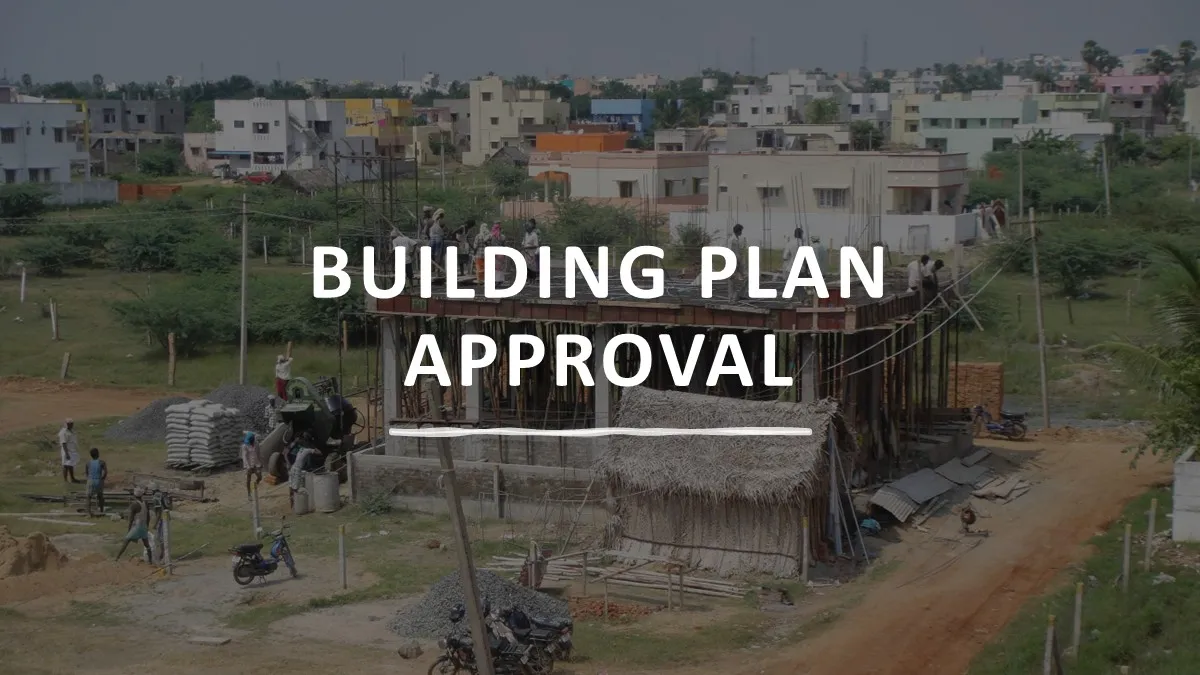
The Path to Home Ownership in Tamil Nadu
This article outlines the procedures for securing building plan approval in Tamil Nadu, helping you understand each step involved. While the process can be complex and often requires professional guidance, our aim is to make you familiar with how it works so you can plan your project and communicate confidently with experts. For further details, the Government’s User Manual provides a comprehensive guide to every step in the process.
Owning a home is a cherished milestone for many families in Tamil Nadu, especially among the middle class. While government initiatives have made housing more accessible for economically weaker sections, those in the middle-income bracket often face a different set of challenges.
Beyond the financial commitment of land and construction costs, aspiring homeowners must navigate a complex web of approvals, regulations, and procedural requirements.
The journey from purchasing a plot to moving into a new home can be daunting, with multiple authorities involved and frequent changes in rules. Understanding the building plan approval process—and how recent reforms have simplified it—is essential for anyone planning to build or buy a home in Tamil Nadu.
Tamil Nadu Combined Development and Building Rules
To address this, the Tamil Nadu Combined Development and Building Rules (TNCDBR) were consolidated in 2019, streamlining regulations into a single code. Earlier, government orders regarding building permissions were scattered across departments. The Tamil Nadu Combined Development and Building Rules (TNCDBR) has made it easier for public to understand and follow the rules.
Furthermore, the entire application and approval process has been made digital, through a dedicated online single-window portal.
Understanding Plan Approval vs Building Permit
Before starting, it’s crucial to distinguish between:
- Plan Approval (Land Approval): Zoning or layout approval as per master plan requirements. Without this, a building permit application cannot proceed.
- Building Permit or Building Plan Approval: Permission to construct on a plot that is already approved for development.
You can apply for a building permit only if the land or layout is already approved.
Step-by-Step Procedure for Building Permit in Tamil Nadu
Step 1 – Verify Land Status and Zoning
Ensure your land is an approved one. It should be part of an approved layout or plan, or individually approved. If not, get it regularised.
Construction permission is only possible after land approval. Check for the “Approved” stamp on the layout map provided by the seller. Approval status can be verified online or at the local planning authority (Corporation, Municipality, Town Panchayat, or Village Panchayat).
Step 2 – Prepare Necessary Documents
You’ll need several documents for building plan approval, including Building Plan (.dxf files) by a registered professional
- Road Width Sketch
- Plot Approval copy
- Regularization Order copy
- Land Ownership photos and documents
- Non-mandatory documents: Encumbrance, Patta, Adangal, FMB, Combined FMB, Superimposed FMB, A Register
- Forms A, B, and C
- Residuary Plot Details
Step 3 – Register and create your account
To begin your application, visit the official single-window portal
On the homepage/login screen, look for and click the link titled “New Applicant Registration”.
You will be directed to a registration form where you must provide the following personal details:
- Basic Information: Salutation (Mr./Mrs./Ms.), Full Name, and Date of Birth.
- Address Details: Full residential address, State (Tamil Nadu), District, Taluk, and Pincode.
- Contact Information: Valid Email ID and a 10-digit Mobile Number.
Verification (Mobile & Aadhaar)
- Aadhaar Integration: Enter your Aadhaar number. The portal requires an Aadhaar-linked mobile number to receive a One-Time Password (OTP) for identity verification.
- Submit OTP: Enter the OTP received on your mobile to verify the registration.
Setting Username and Password
- Username: Typically, your registered Email ID serves as your permanent username for the portal. You will be asked to create a strong password
Finalizing the Account
- Profile Photo: You may be required to upload a recent photograph of the applicant in .png or .jpg format.
- Completion: Review the details, enter the Captcha code shown on the screen, and click “Create Account” or “Submit”.
Now the Account is created and you can login using the User ID and Password,
to access your dashboard, where you can start a new application, link a registered professional, and track approval status.
Step 4 – Submit Application for Building Permit
On your dashboard, click on the “New Application” or “Apply for Planning Permission / Building Permit” button. You will be asked to choose the type of local body:
- DTCP: For areas outside Chennai.
- CMDA: For the Chennai Metropolitan Area.
- Local Body (Corporation/Municipality): For specific urban jurisdictions.
Enter Land & Project Details
You must fill out the basic profile of your project:
- Project Location: District, Taluk, Village, Survey Number, and Sub-division number.
- Type of Development: Residential, Commercial, or Industrial.
- Project Category: Whether it is a “Self-Certification” (for small buildings) or a “Normal Application”.
Link Your Registered Professional (Crucial)
This is the most important step. You cannot proceed without linking an expert. Your Architect or Engineer who must be a Registered Professional will have to be engaged by you.
- Search for your Licensed Engineer or Architect using their Registration Number or Name in the portal’s database.
- Once you select them, a request is sent to their portal. They must log in to their own account and “Accept” your project.
- Note: Only after they accept can they begin uploading the technical drawings (.dxf) for your specific application.
Upload Personal & Ownership Documents
While your engineer prepares the drawings, you (the applicant) must upload the following digital copies (PDF/JPG):
- Ownership Proof: Sale Deed, Lease Deed, or Gift Deed.
- Land Records: Latest Patta, Chitta, and Adangal (obtained from the Tamil Nadu e-Services Portal).
- Encumbrance Certificate (EC): A copy covering at least the last 13 years.
- Site Plan/Layout: The approved layout copy if the plot is part of a sanctioned layout.
- Aadhaar Copy: Of the owner/applicant.
Scrutiny Fee Payment
Before the application is sent for official review, you must pay a nominal Scrutiny Fee (online via Net Banking/UPI/Credit Card).
- Once the fee is paid, the application is officially “Submitted” to the local body.
- A File Number (Application Number) will be generated for tracking.
Step 5 -Site Inspection by officials
After submission, the portal’s Auto-DCR system will automatically check the drawings uploaded by your engineer against the building rules.
The portal immediately processes the .dxf technical drawings uploaded by your engineer through Auto-DCR software. This system checks for compliance with setbacks, FSI, and other rules. If errors are found, your engineer will be notified online to resubmit the corrected drawing.
If it passes, the file moves to a human official (Assistant Executive Engineer) for site inspection.
Notification for Site Inspection
- Notification Method: The portal sends automated SMS alerts and emails to both the applicant and the registered professional once an inspecting official is assigned.
- Timeframe: Officials (typically an Assistant Executive Engineer or Town Planning Inspector) are required to inspect the site within 7 days of your successful application submission.
- Prior Intimation: You are generally notified at least one day before the actual inspection date and time.
The Site Inspection Process
During the visit, officials will verify ground realities against your submitted documents:
- Boundary Verification: Ensuring the plot boundaries match the FMB sketch and ownership documents.
- Road Width: Measuring the actual width of the access road to confirm it meets minimum requirements for your building type.
- Surroundings: Checking for proximity to water bodies, high-tension electrical lines, or other restricted zones.
Post-Inspection Report
- The inspecting officer must upload an inspection report to the portal within 48 hours of the visit.
- You can track the status of this report and any subsequent recommendations through your Single Window Portal dashboard using your Application ID.
Step 6 – Demand Advice & Final Permit
If the inspection report is favorable and the plan is approved:
- A Demand Advice for the final permit fees and development charges will be generated on your portal.
- Once you pay these fees online, the Building Permit is typically issued and made available for download within 7 days.
Step 7 – Building Permits
- Digital Download: Once the final fees are paid and the application is approved, the permit is generated as a digitally signed PDF.
- Access: You must log in to the Tamil Nadu Single Window Portal to download it from your dashboard.
- Authentication: The permit features a QR Code. Any authority or bank can scan this code to verify its authenticity against the government database instantly.
Validity of the Building Plan Approval or Permit
Under the Tamil Nadu Combined Development and Building Rules (TNCDBR) 2019, the validity is as follows:
- Initial Validity: The Building Permit is valid for 5 years from the date of issuance.
- Renewal/Extension: You can apply for an extension for an additional 3 years. This must be done through the portal before the initial 5-year period expires.
- Maximum Cap: A building plan approval or permit cannot be extended beyond a total of 8 years. If construction is not finished by then, a fresh application is required.
Time Limit to Start Construction
There is a specific requirement to begin work to keep the building plan approval or permit active:
- Commencement Period: You must “commence” construction within one year from the date the approval or permit was issued.
- Definition of Commencement: Typically, this means completing the foundation work or reaching the plinth level.
- Mandatory Notification: Once you start, you must log in to the portal and submit a “Commencement Certificate” (Form-3). This triggers the mandatory Plinth Level Inspection by the local body engineer to confirm you are building according to the approved plan.
What if you don’t start within a year?
If no work is started within the first year, the building plan approval/permit is technically considered to have lapsed. However, because the overall validity is 5 years, most local bodies allow you to initiate work later, provided you notify them via the portal.
Note: Delaying beyond the first year without notification can lead to complications during the final Completion Certificate (CC) stage.
Extension Provision (Before Expiry)
If construction is ongoing but not finished within the initial 5-year validity period, you can apply for an extension:
- Duration: The competent authority can extend the approval/permit once for an additional 3 years.
- Total Validity: This brings the total allowable time for construction to 8 years without needing a fresh plan sanction.
- Condition: The application for extension must be made before the expiry date of the original 5-year permit.
- Fees: Renewal fees, as prescribed by the competent authority, must be paid at the time of application.
Renewal Procedure (Online)
The entire extension process is handled through the Tamil Nadu Single Window Portal:
- Log in to your existing applicant account.
- Select the “Renewal of Permit” or “Extension of Time” service under your active application.
- Registered Professional: Your licensed engineer/architect may need to provide a progress report or a statement indicating the site’s suitability for continued development.
What if the Approval/Permit Lapses (After 8 Years)?
If you fail to complete construction even after the 3-year extension (totaling 8 years), or if you do not apply for an extension before the initial 5-year permit expires:
- Lapse of Permit: The existing permission will lapse.
- Fresh Application: You must submit a fresh application for planning permission and building permit through the portal.
- New Rules: A fresh application will be scrutinized according to the building rules and Master Plan regulations in force at that time (e.g., if setback requirements have changed, your remaining construction must comply with the new rules).
In all these, the portal guides you through each step, and the User Manual (available on the SWP) provides detailed instructions on how to complete these actions, including digital signing procedures.
Tracking the Status
After submission, you can track the status of your application online at any time. The portal offers real-time updates, so you can monitor progress, respond to queries, and receive notifications about approvals or required corrections. This digital process minimizes the need for physical visits and makes the entire approval journey transparent and efficient.
New Self-Certification Scheme for Residential Houses
To simplify the process for ordinary home builders, Tamil Nadu introduced a Self-Certification Scheme for:
- Residential houses up to 2,500 sq.ft.
- Houses up to the first floor with a built-up area up to 3,500 sq.ft.
These can be self-certified for building permissions, bypassing the usual approval process. Applicants declare compliance with TNCDBR and other rules. Authorities conduct random checks (about 10% monthly) to ensure compliance, and penalties apply for false statements. This scheme speeds up approvals for small residential buildings and is a major positive step for middle-class home builders. Read our Article on Self-Certification Scheme.
Fees and Charges: What You Need to Know
Standard Fees
Under the regular system (non self-certified), fees include:
- Development charges
- Building permit fee (Related: building permit Tamil Nadu)
- Workers’ welfare fund
- Road cut restoration charges
- Infrastructure charges
Consolidated Fees Under Self-Certification
In Greater Chennai Corporation (GCC), a consolidated fee of ₹100 per sq.ft. (approx. ₹1,076 per sq.m) is charged for residential buildings under self-certification. This covers all major charges. Previously, total charges were about ₹99.70 per sq.ft., so the new structure is similar and more predictable.
Fees Outside Chennai
Fees in other city corporations range from ₹74 to ₹88 per sq.ft. for residential buildings up to 3,500 sq.ft. under online approval schemes. Municipalities and town panchayats have structured fee slabs based on area and development level.
Statutory Scrutiny Fees
Additional scrutiny fees under TNCDBR:
- New plan: ₹2 per sq.m
- First revision: ₹1 per sq.m
- Second revision: ₹0.40 per sq.m
- Third revision: ₹0.20 per sq.m
These are minimal compared to overall construction costs.
Inspection Requirements
Local authorities conduct inspections at various stages:
- Plinth level inspection: Before raising walls, to ensure foundation and layout match the approved plan
- Periodic checks: For larger buildings or suspected deviations
- Final completion inspection: For issuing completion certificates, where required
Recent clarifications stress the importance of inspections for safety compliance, especially for taller or multi-storey buildings or additional floors.
Practical Updates and Time Extensions
Authorities have extended the fee payment deadline to 60 days from approval in many local bodies. Fee rules and approval thresholds are periodically updated, so always check with your local authority before applying.
A Citizen-Friendly System
The process is now simpler and more transparent. Self-certification has made it even easier for most middle-class applicants, but it also places responsibility on the applicant to be truthful and compliant. Always consult professionals and stay updated with public notices from your local authority or the state government to avoid delays and cost overruns.
Leave a Reply